25 Halloween photo ideas for iPhone (costumes, pumpkins and parties)
Costume portraits, jack-o'-lantern glow, spooky night shots and party group photos, with the framing that makes each one work.

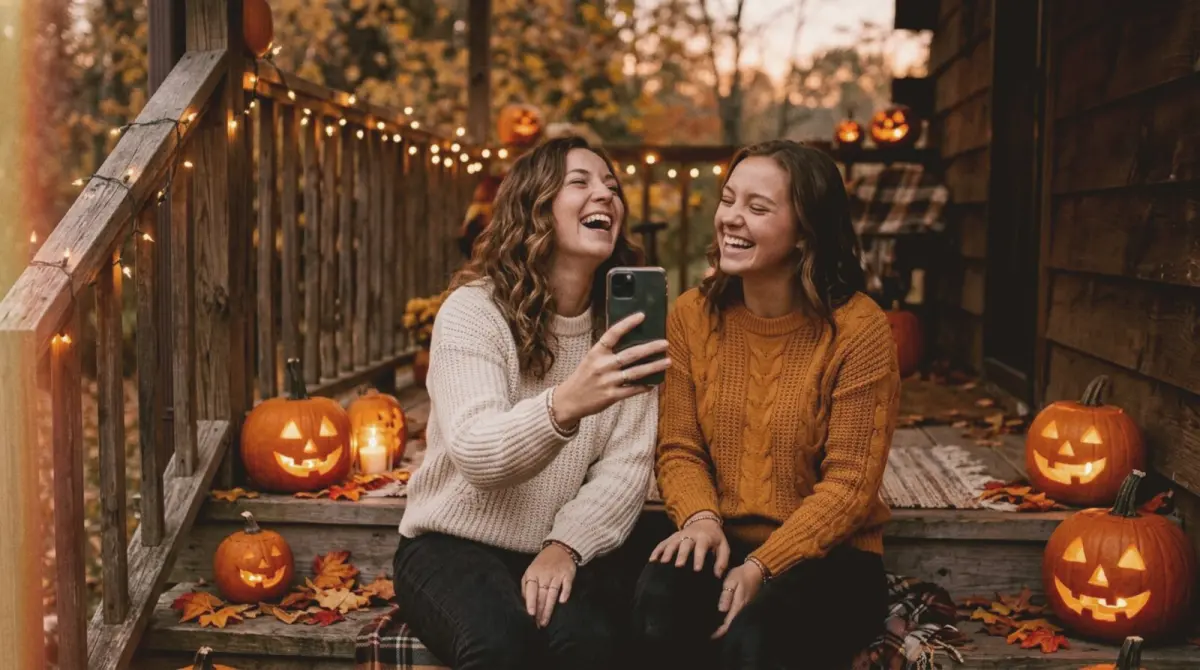
The best Halloween photos come from three things: a costume shown in full, warm light from pumpkins or string lights, and a frame that leaves room for the mood. You do not need a studio or a flash. An iPhone, one candle-lit pumpkin and a deliberate composition will beat a hundred random party snaps.
Below are 25 Halloween photo ideas grouped by situation, each with the framing that makes it work. Where it helps, we name the slay composition guide that draws that frame on your live camera.
Costume portraits
1. The full costume, head to toe. Most costume photos crop off the shoes or the cape. Step back about four metres, zoom to 1.5x and centre the person so the whole outfit fits. The Portrait 1 guide draws exactly this frame.
2. The character pose. Ask the person to act like the character, not smile at the camera. A witch stirring a pot, a vampire mid-hiss, a ghost drifting away. Movement reads better than a posed grin.
3. Costume in its setting. Put a small figure in a big scene: a lone ghost on an empty road, a scarecrow in a corn field. Keep the person low in the frame and let the scene fill the rest, like the Travel Shot guide.
4. Half-body at 3x. For makeup-heavy costumes, zoom to 3x and frame from the waist up. Telephoto flattens the face and blurs the background, so the details of the makeup carry the shot. Use the Close Up guide.
5. Mask off, mask on. Shoot the same person twice from the same spot, once in the mask and once holding it. Post them as a pair.
6. Back-to-camera silhouette. A cape or witch hat against a bright sky or a lit doorway makes a strong shape. Expose for the background by tapping on it, then pull the exposure down until the person is a silhouette.
Pumpkins and decorations
7. Jack-o'-lantern glow on a face. Hold a lit pumpkin at chest height in a dark room and let it light the face from below. Turn off every other light. Tap to focus on the eyes and lower exposure until the glow looks rich, not blown out.
8. Three pumpkins in a triangle. Arrange a large, medium and small pumpkin so they form a triangle across the porch steps. Triangles read as balanced and deliberate. The Triangle 1 guide places all three points for you.
9. Pumpkin carving from above. Shoot the carving table top-down: pumpkin, knife, seeds and hands. Keep the pumpkin on a grid point and the tools around it. This is the Aerial Triangle frame.
10. A row of lanterns going into the dark. Line pumpkins along a path and shoot from the low end so the line runs away from you. The lanterns become leading lines that pull the eye to the door.
11. The porch at blue hour. Shoot your decorated porch about 20 minutes after sunset, when the sky is deep blue but not black. The blue sky makes the orange pumpkins and warm windows look twice as warm.
12. Close-up of a carved face. Fill the frame with one carved face so the light leaks through every cut. Get close, and do not use flash.
Night and spooky shots
13. The fog-machine walk. If someone has a fog machine, backlight the fog with a porch light or phone torch and have a costumed figure walk through it. Shoot from low so the fog fills the bottom of the frame.
14. A single light in a dark frame. One candle, one lantern or one lit window, placed on a third line with darkness everywhere else. Empty space is what makes it eerie. Use the One-Point Vertex guide.
15. The haunted doorway. Frame a person inside an open doorway, lit from behind. The door frame is a natural frame within the frame.
16. Low-angle monster. Crouch and shoot upwards at someone in a tall costume. Low angles make subjects look bigger and more threatening.
17. Night Mode shadows. On a still night, put the iPhone on a ledge, let Night Mode run its full exposure, and shoot long shadows cast by a single streetlight.
Parties and groups
18. The costume line-up. Put the group in a straight line against a plain wall, tallest in the middle, and shoot at eye level. It looks like a film poster.
19. The group triangle. For three or five people, put one person slightly forward and higher, the others lower on each side. A triangle is easier on the eye than a flat row.
20. The candid table. Shoot the snack table mid-party from above, with hands reaching in. Real moments beat posed ones.
21. Trick-or-treat from behind. Follow kids up a path from behind, low to the ground, with the lit door at the end. It captures the excitement without faces.
22. The candy haul flat lay. Tip the night's candy onto a dark table and shoot it top-down, with the bucket as the hero item on the bottom third. The One-Point Aerial guide draws that line.
Pets and couples
23. The pet costume. Get down to your pet's eye level and shoot at 2x. Have someone hold a treat just above the lens so the pet looks into the camera.
24. The couple costume. Matching costumes work best side by side, with one person slightly closer to the camera than the other. Put them on a diagonal, small at the bottom and large at the top, like the Two-Point Vertex guide.
25. The morning after. Shoot the half-melted candles and leftover pumpkins on November 1st in soft daylight. It is the quiet ending to the story.
iPhone settings for Halloween photos
- Turn off flash. Flash kills the glow of pumpkins and candles. Use the light that is already there.
- Tap, then drag the sun icon down. Darker exposure keeps the mood and stops the glowing parts from turning white.
- Use the main 1x lens at night. It gathers the most light. Zoom lenses get noisier in the dark.
- Hold still for Night Mode. Brace your elbows or rest the phone on something for two or three seconds.
- Shoot in the hour after sunset. Blue hour gives you colour in the sky and enough light to keep faces sharp.
Give the photos a film look
Halloween photos suit warm, slightly faded colour. In slay you can swipe the viewfinder to switch film stocks live, before you shoot, so the look is baked in. Warm stocks bring out pumpkin orange; faded ones soften harsh party light. Hold the screen to compare with the original.
Frame every Halloween shot
slay puts these frames on your live iPhone camera. Pick a guide, line up the costume, and the zone lights up when the shot is right.
Get slay on the App Store: https://apps.apple.com/app/id6807513456?utm_source=slaycamera&utm_medium=article&utm_campaign=halloween-photo-ideas
Questions about this article
Quick answers from the article. Ask anything else below — the assistant answers from the app's docs.
Frame it perfectly, every time.
Free to download. Slay Pro from $1.99/week unlocks every guide, LUT and lesson.
Download the App