
How to take better iPhone photos
Modern iPhone cameras are excellent. Most weak photos are a composition problem, not a sensor problem — and composition is learnable in a few weeks of deliberate practice.
- 14 live composition guides, drawn on the viewfinder
- Native 0.5x / 1x / 2x / 3x lenses, guides track as you zoom
- Guides happen before the shutter, not in the edit
Free to download. Slay Pro from $1.99/week.

6 pins saved to this board
Generated at 1000 × 1500. Copy the text, then Pin it.
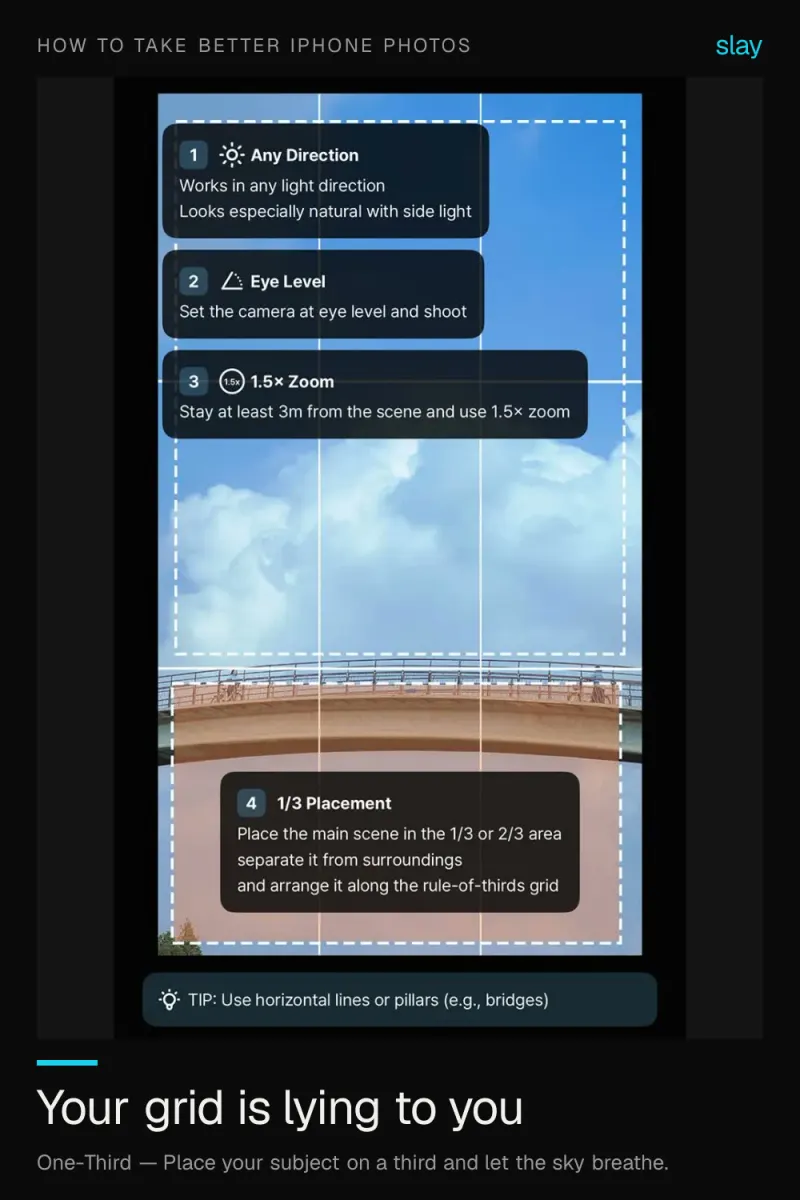
How to Take Better iPhone Photos: Beyond the Camera Grid
The stock grid marks the thirds but teaches you nothing else. Real composition guidance shows you where to put the subject. Guides in slay → slaycamera.com. Save this for your next shoot.
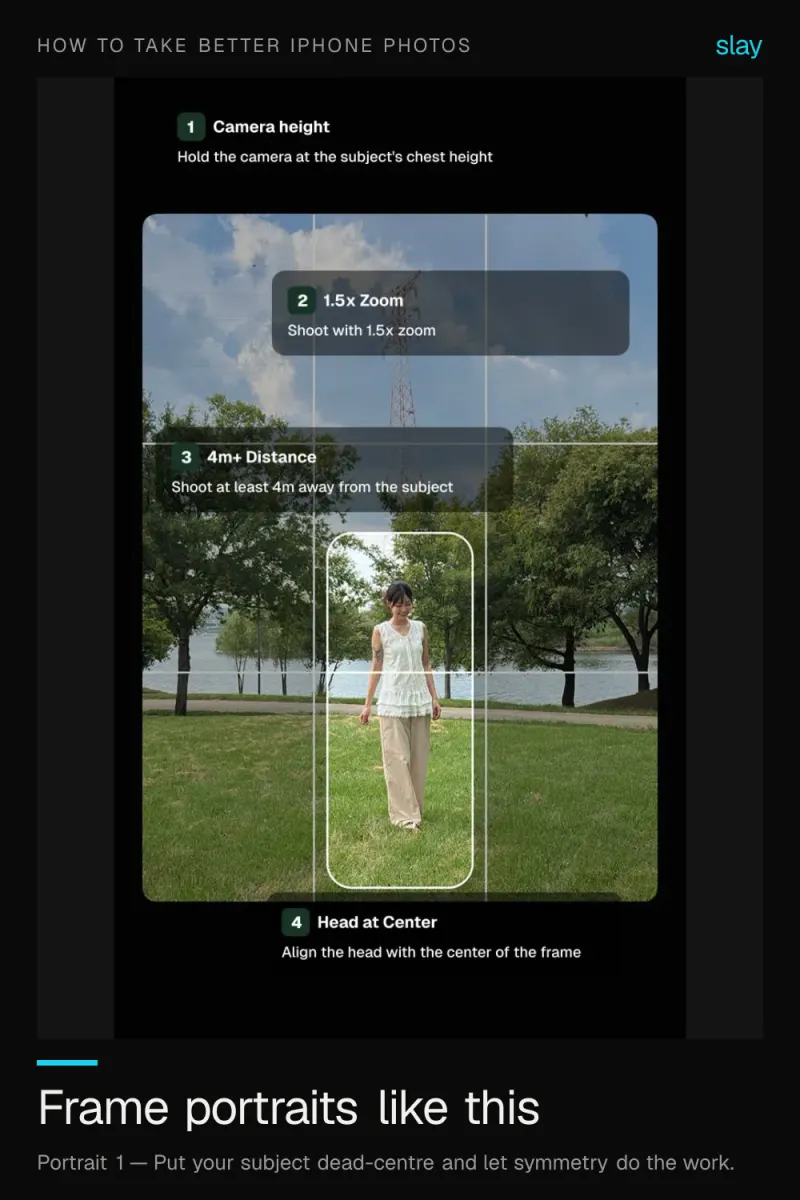
How to Take Better iPhone Portraits: Framing First
Sharp and well-lit is not the same as well-framed. Put the subject on a line, keep the eyes high, leave looking room. Guides in slay → slaycamera.com. Save this for your next shoot.
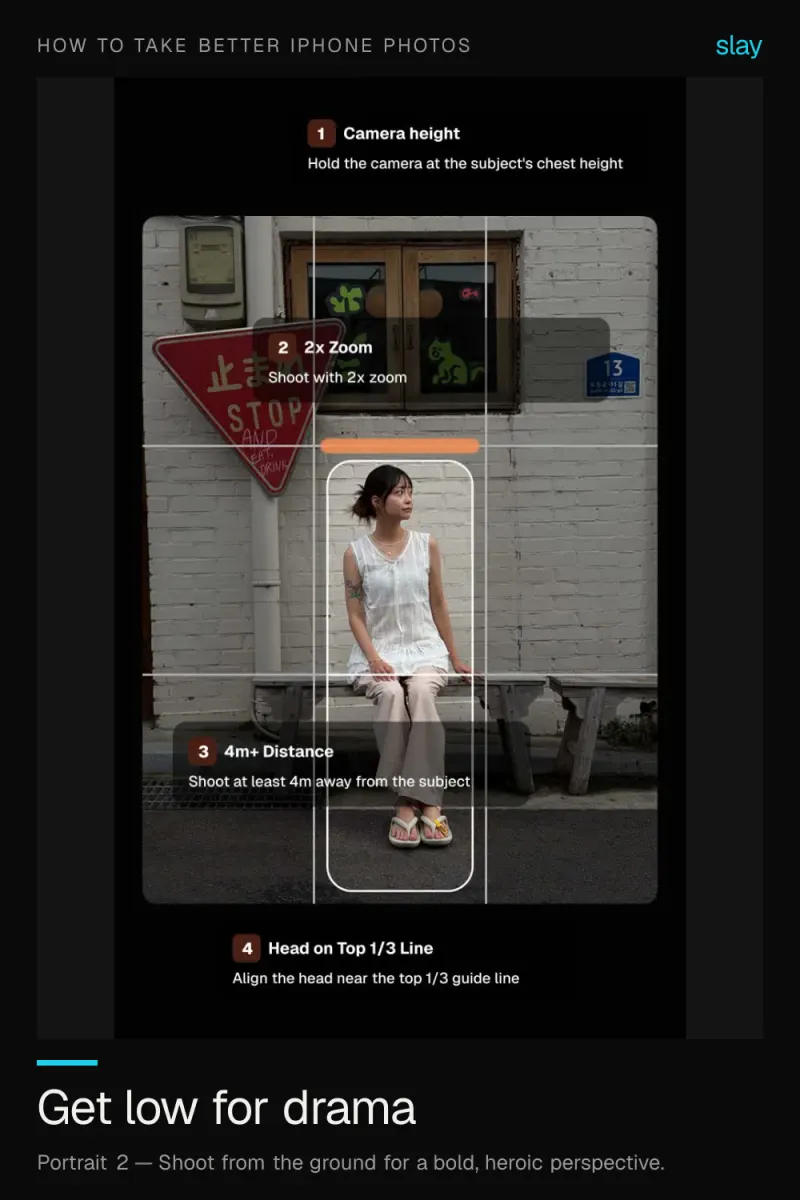
Low Angle Photography on iPhone: Go Bold, Go Heroic
Drop the phone near the ground and tilt up. Full body shots lengthen and everyday scenes turn heroic. Guides in slay → slaycamera.com. Save this for your next shoot.

Stop Digital Zooming: Move Your Feet Instead
Digital zoom softens an image. Use your feet or the iPhone's native lenses and your photos stay sharp. Guides in slay → slaycamera.com. Save this for your next shoot.
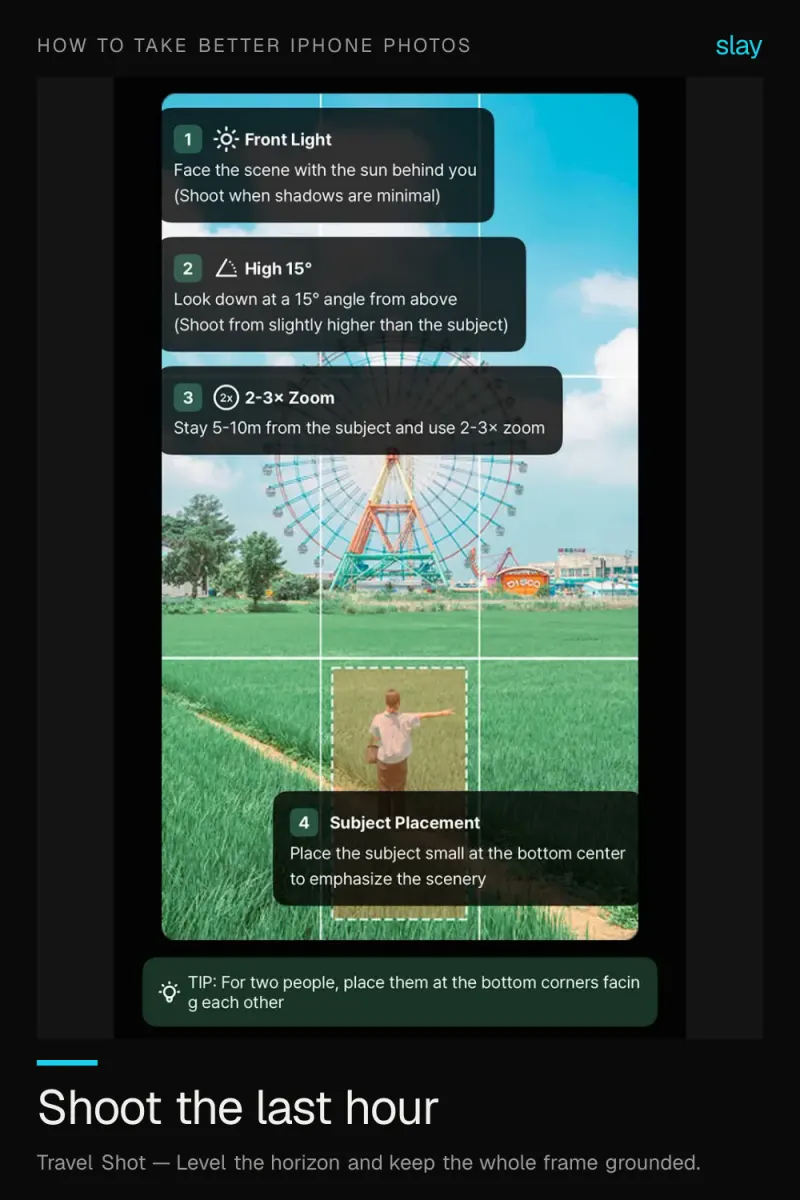
Golden Hour iPhone Photography: Timing and Framing
Warm, low, directional light flatters everything. Be in position 60-90 minutes before sunset and compose before the light peaks. Guides in slay → slaycamera.com. Save this for your next shoot.
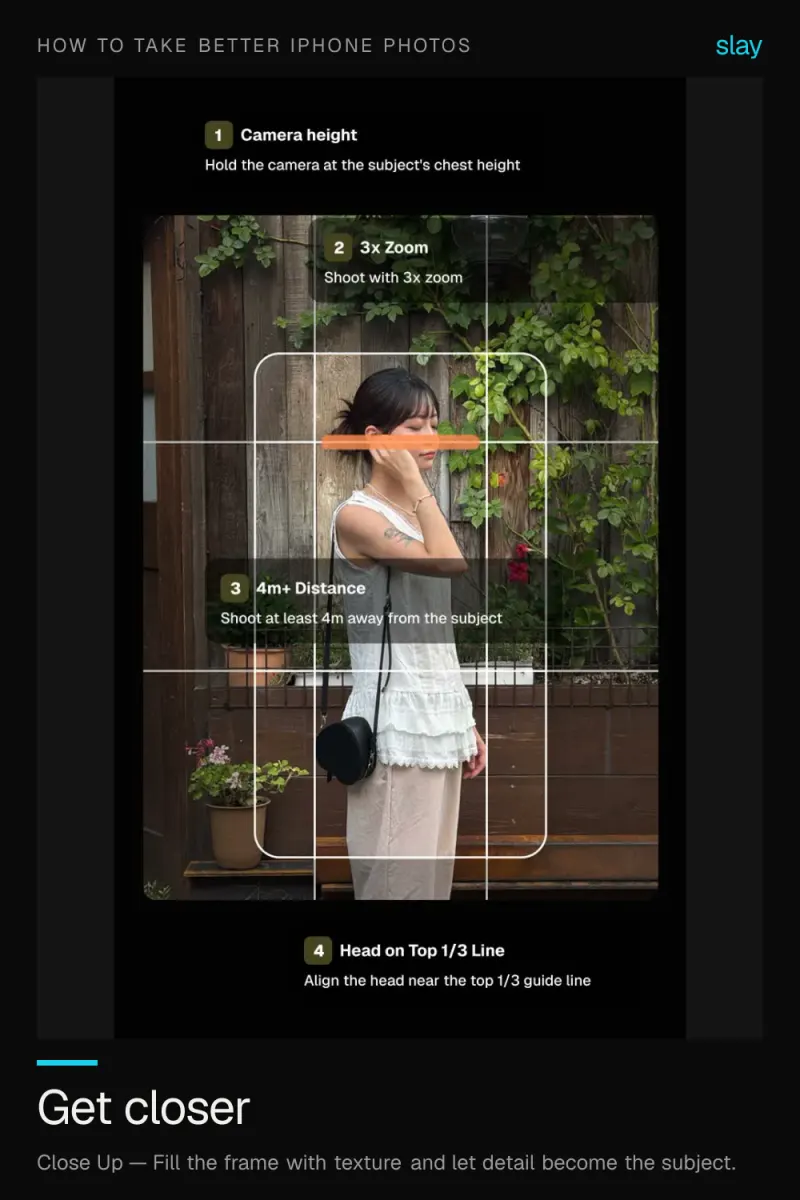
Close-Up Photography on iPhone: Texture Is the Subject
One second of walking closer improves a photo more than any edit. Fill the frame and let detail carry it. Guides in slay → slaycamera.com. Save this for your next shoot.
The guides behind these photos
Frame it perfectly, every time.
How to Take Better iPhone Photos, composed live on your iPhone camera.
Download the App