20 snow photoshoot ideas (and how to stop snow looking grey)
Falling snowflakes, snow angels and red scarves in white forests. Snow photo ideas plus the one exposure fix every iPhone needs in snow.

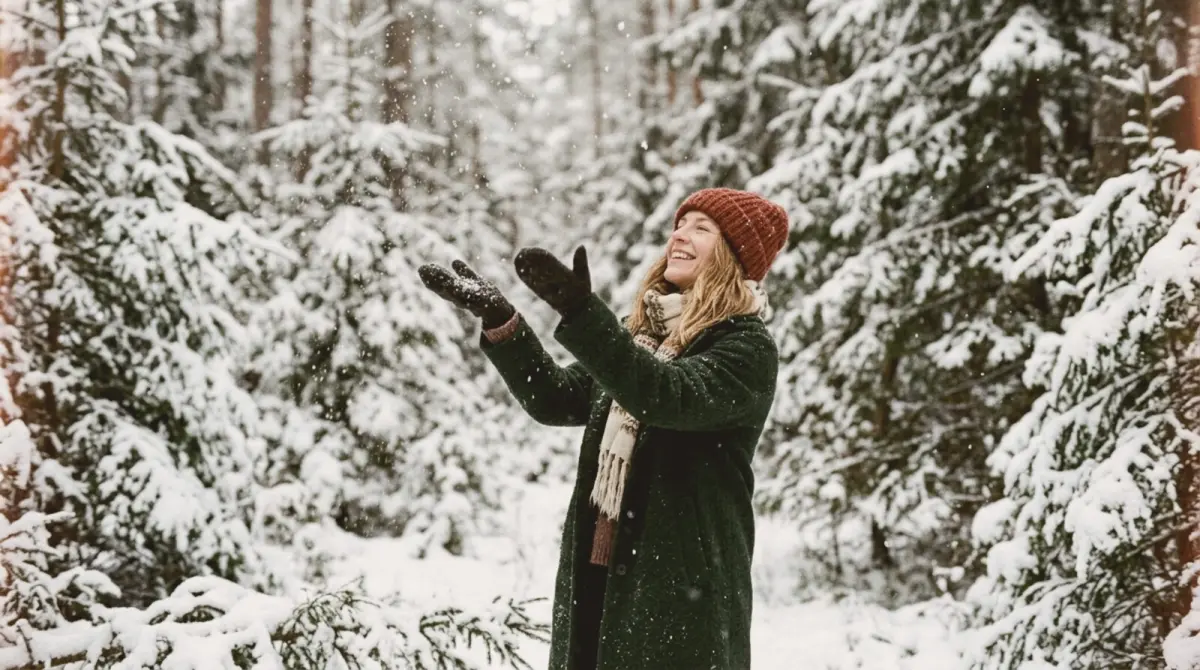
Snow is a giant reflector, so it makes skin glow and colours pop. But iPhones often make snow look grey, because the camera tries to turn all that white into a middle tone. Fix it by tapping on the snow and dragging the exposure slider up slightly until the snow is white again. Then try these 20 ideas.
Portraits
1. Catching snowflakes on the tongue. Head tilted back, eyes closed. Burst.
2. Falling snow at 3x. Zoom in on a face so the flakes in front and behind blur into soft dots. The Close Up guide frames it.
3. The red scarf. One bold colour against white: red, mustard or forest green.
4. Snow on eyelashes. Extreme close-up in soft light.
5. Blowing snow from the hands. A handful of powder snow blown towards the camera. Backlight makes it sparkle.
6. Small figure, white world. A person small in the bottom third of a snowy field or forest. Lots of empty white space feels calm. The Travel Shot guide frames it.
7. Snowy window. Shoot through a frosted window from inside, with a person outside.
Couples and friends
8. Snowball fight. Burst mode, low angle.
9. Walking through a snowy forest. Holding hands, from behind.
10. Sharing a flask. Steam from the cups, mittens.
11. Sled ride for two.
12. The snowy kiss. Flakes falling, both in hats.
Kids and family
13. Snow angels. Shoot from directly above, standing on a step or bench.
14. Building a snowman. The moment the head goes on.
15. Sledging down a hill. Shoot from the bottom of the hill as they come towards you. Burst.
16. Hot chocolate after. Red cheeks, mugs, steam.
Dogs in snow
17. The zoomies. A dog running through snow. Burst, low angle.
18. Snowy nose. Close-up of a dog's snow-covered face at 2x.
Details
19. Footprints. A trail of footprints leading into the distance.
20. A single red berry or leaf in the snow. Minimal and striking.
Settings for snow
- Raise the exposure. Tap the snow and drag the sun icon up until it is white, not grey.
- Shoot on overcast days for soft light, or golden hour for blue shadows and warm highlights.
- Wear colour. Red, mustard, forest green or camel. White and grey disappear.
- Keep the phone warm. Cold drains the battery fast; keep it in an inside pocket between shots.
- Watch the horizon. In flat white scenes, tilts are obvious. slay shows a live horizon level.
For winter ideas without snow, see winter photoshoot ideas.
Frame the white
slay overlays composition guides and a horizon level on your live iPhone camera, so wide snowy scenes stay balanced and straight.
Get slay on the App Store: https://apps.apple.com/app/id6807513456?utm_source=slaycamera&utm_medium=article&utm_campaign=snow-photoshoot-ideas
Questions about this article
Quick answers from the article. Ask anything else below — the assistant answers from the app's docs.
Frame it perfectly, every time.
Free to download. Slay Pro from $1.99/week unlocks every guide, LUT and lesson.
Download the App