How to photograph stars and the Milky Way on iPhone
Dark skies, a tripod and Night Mode's longest exposure. Step-by-step settings for star photos, plus how to add a foreground.

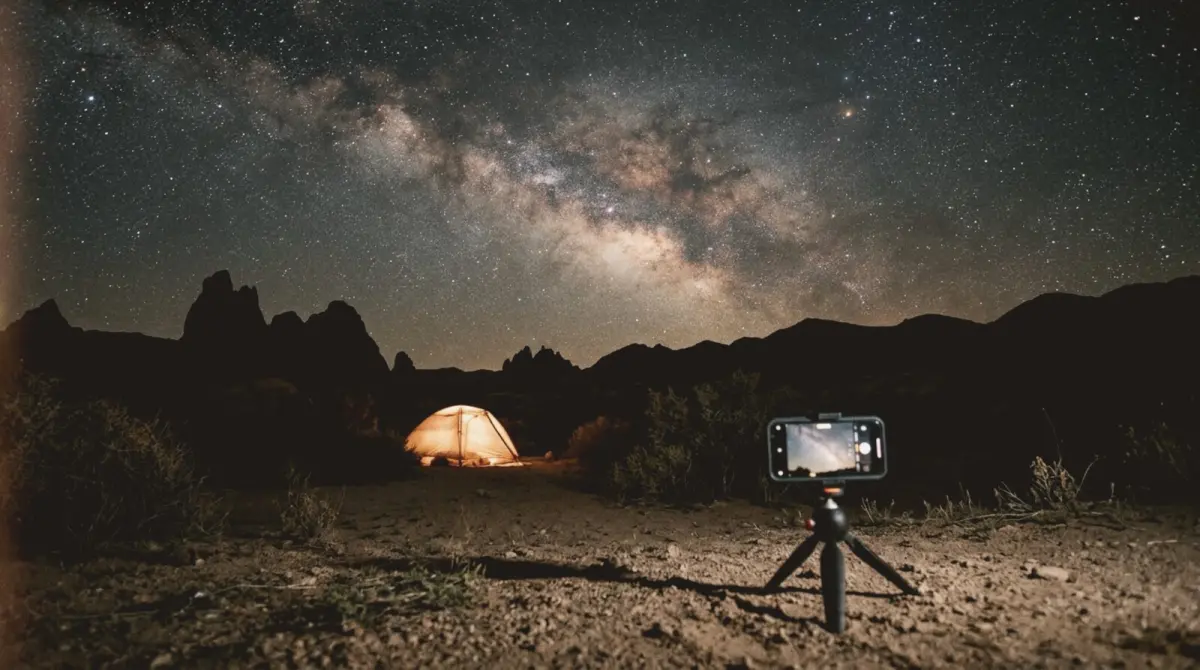
To photograph stars on an iPhone, go somewhere truly dark, put the phone on a tripod, point it at the sky and let Night Mode run its longest exposure (up to 30 seconds on a tripod on recent models). Add something on the ground, like a tree, a tent or a mountain, in the bottom third, and you have a real night-sky photo.
Plan the night
- Dark skies. Get far from city lights; light pollution maps show where.
- New moon. A bright moon washes out stars. Shoot in the week around the new moon.
- Clear forecast. Check cloud cover.
- Milky Way season. In the Northern Hemisphere, the bright core is visible roughly from spring to early autumn.
- Let your eyes adjust for 15 to 20 minutes.
Settings step by step
- Tripod. It must be completely still. A small phone tripod is enough.
- 1x main lens. It gathers the most light.
- Flash off, Live Photo off.
- Night Mode. When the phone senses it is on a tripod, it offers longer exposures. Tap the moon icon and drag the slider to the maximum.
- Focus. Tap on the brightest star or a distant light and hold for AE/AF Lock.
- Timer. Use 3 or 10 seconds so your tap does not shake the phone.
Framing the night sky
- Horizon on the lower third, sky in the top two-thirds. The One-Third guide places it.
- A silhouette: a tree, a rock, a cabin, a person.
- A warm light: a glowing tent or a lantern adds colour.
- Keep the horizon level. slay shows a live horizon level, which helps when you cannot see much in the dark.
People under the stars
- Ask them to stand completely still for the whole exposure.
- Briefly light them with a dim phone torch from the side, or keep them as a silhouette.
- Put them small; the sky is the subject.
Common mistakes
- Handheld: the stars smear.
- City lights: an orange glow and no stars.
- The moon: too bright for faint stars.
- Over-editing: keep the sky natural; a little noise is fine.
For the moon, see how to photograph the moon on iPhone. For the aurora, see northern lights on iPhone.
Frame the night sky
slay overlays composition guides and a horizon level on your live iPhone camera.
Get slay on the App Store: https://apps.apple.com/app/id6807513456?utm_source=slaycamera&utm_medium=article&utm_campaign=stars-photos-iphone
Questions about this article
Quick answers from the article. Ask anything else below — the assistant answers from the app's docs.
Frame it perfectly, every time.
Free to download. Slay Pro from $1.99/week unlocks every guide, LUT and lesson.
Download the App